
Uploading lots in bulk using an Excel spreadsheet
We want to make things easy for you. Our Excel uploader means you can upload lots easily and quickly to your auction dashboard.

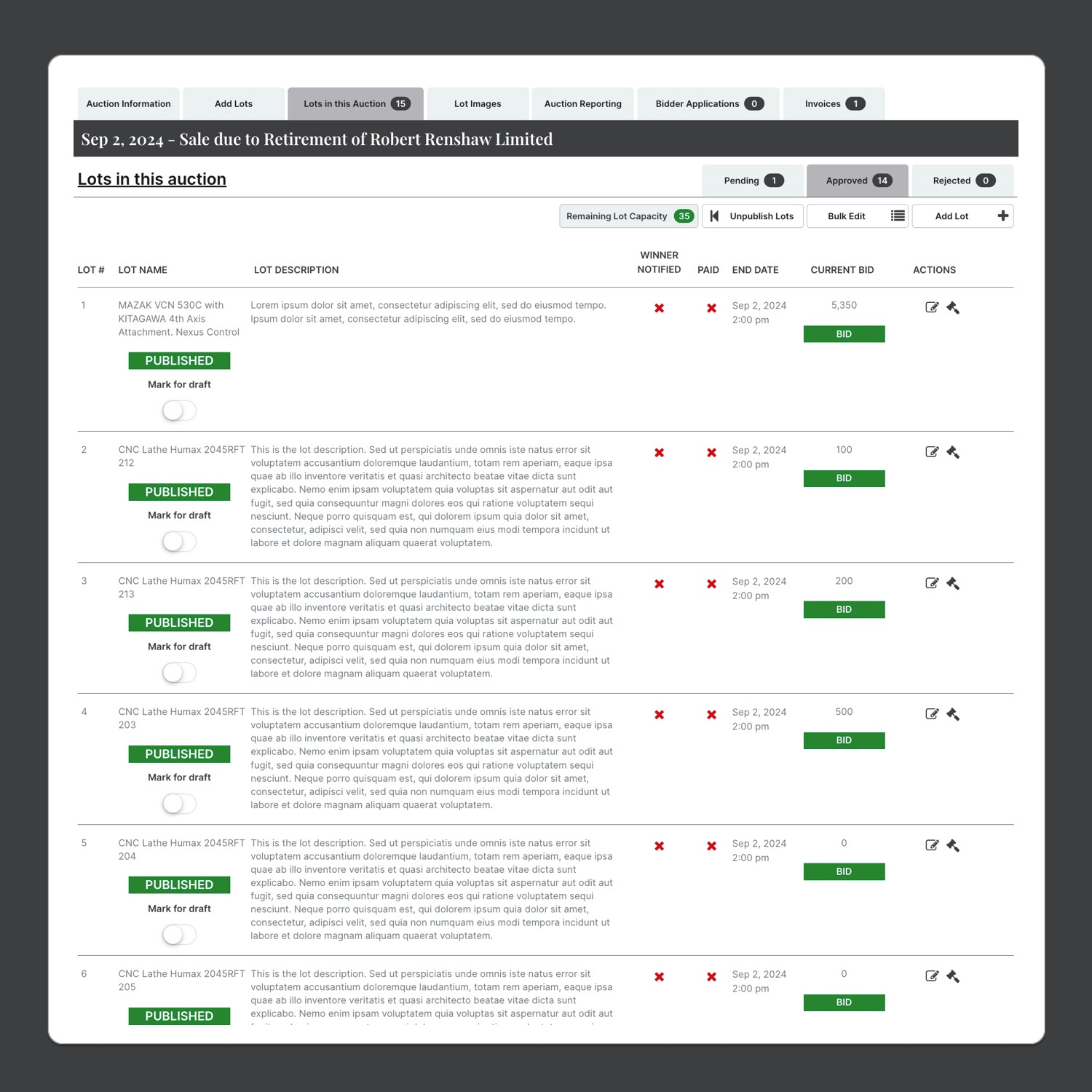
We are aiming to provide intuitive and easy to use tools to help auction administrators be able to work with their auction information quickly and easily.
We have developed a bulk upload that easily and quickly enables you get your auciton started with minimal information. You can start with placeholders and then build from there or you can fill your Excel spreadsheet with as much information as you need.
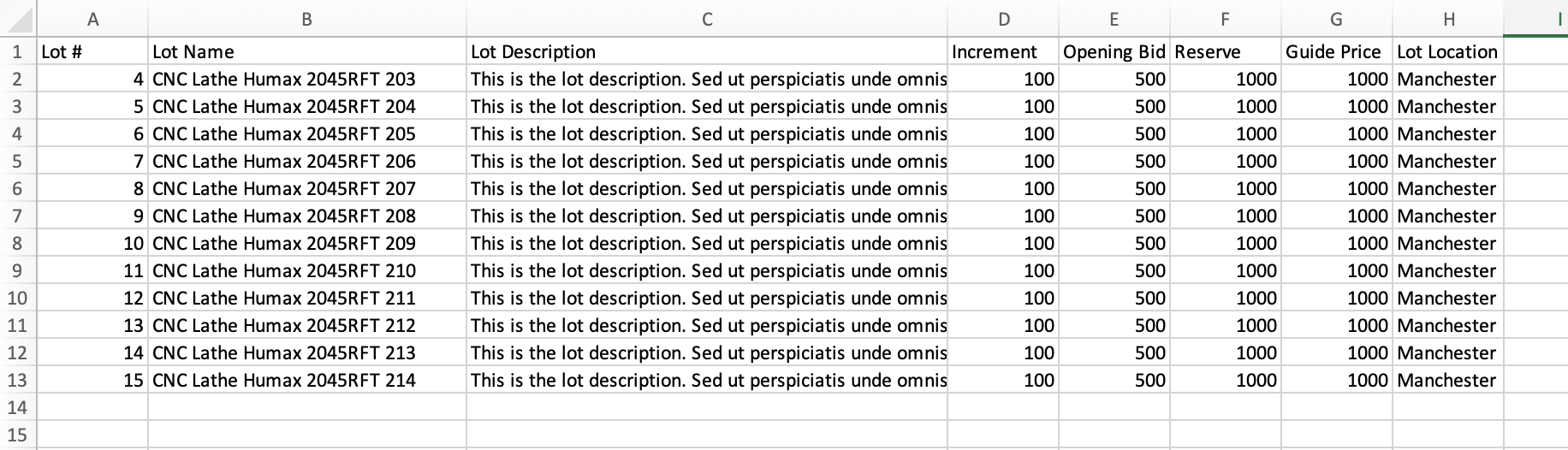
You can very quickly get a spreadsheet full of lots added to your system using the Excel above. At this stage you need to think about the start and end dates for the auction, because these can be change easily in the auction placeholder.
So get some basics together first and then you are you on your way.
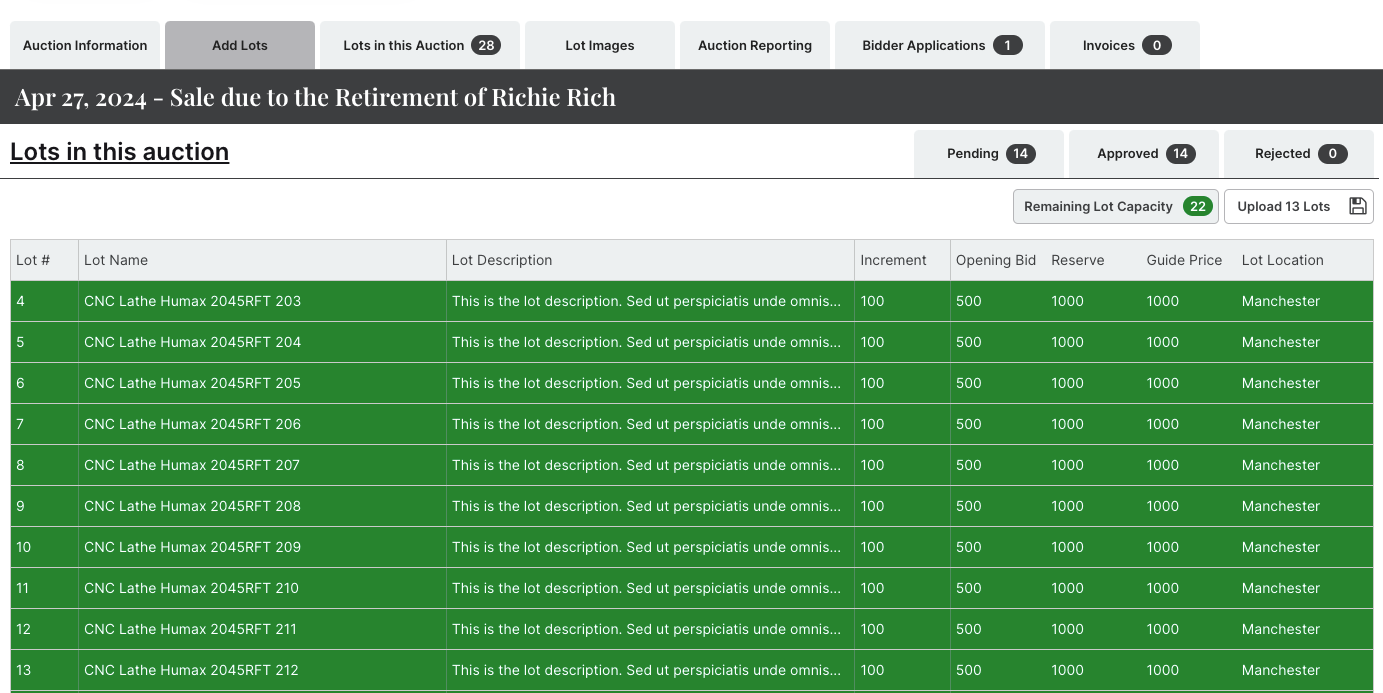
Once the spreadsheet full of lots has been added to your auction admin system, you can verify the details before you save them.
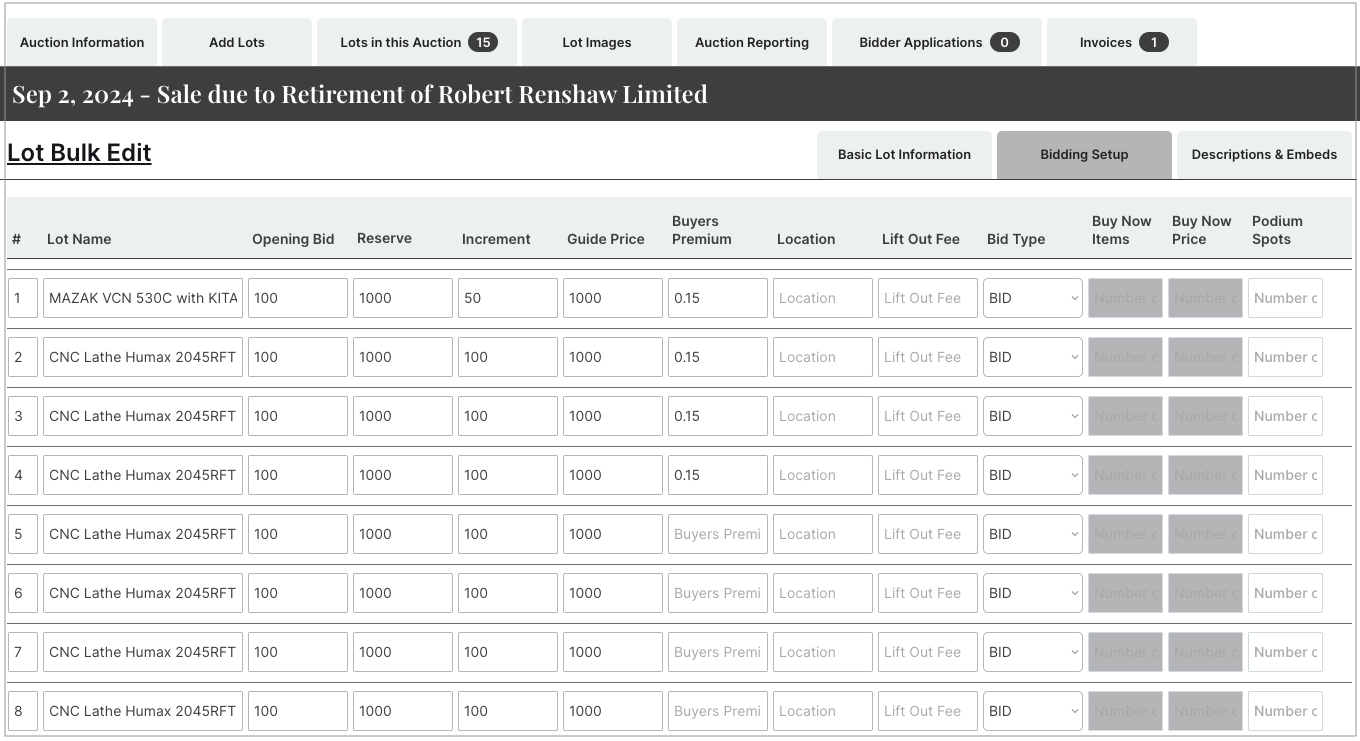
Once you have saved the lots, you can make changes in bulk once you have the final set of details to hand.
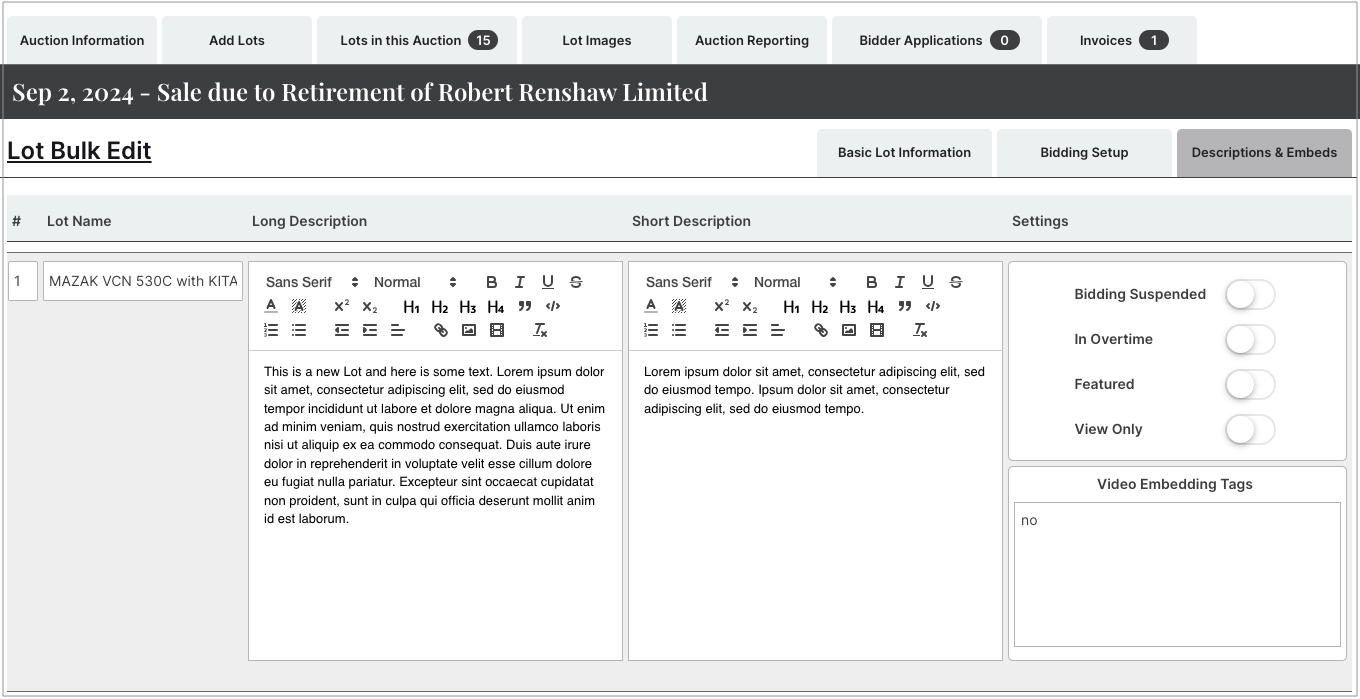
You can navigate between subjective tabs which help separate different types of data. This provides you with a clean and uncluttered page to concentrate on the information you need to change at any one time.
We are really pleased with the way these tools hang together in a coherent way. Running and managing auctions is time consuming and we think we have come up with a set of tools to make your teams day to day easier. Leaving with spare time to add value to your business in other ways.
Learn more about our auction software platform and how we can help you manage your online auctions.